
Introduction
Object detection has become an important part of modern Artificial Intelligence (AI) and computer vision applications. From smart surveillance cameras and traffic monitoring to workplace safety systems, object detection helps computers identify and locate objects in images and videos. YOLO-based object detection is one of the popular approaches for developing real-time computer vision applications.
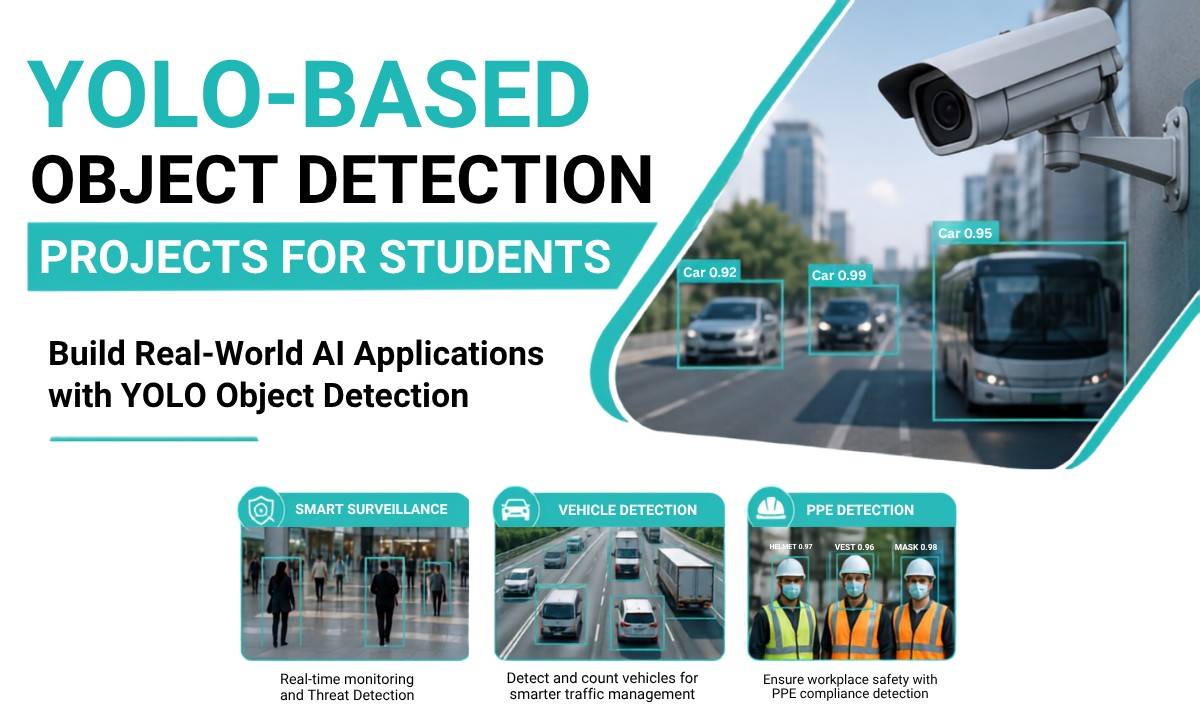
For students looking to build practical AI and machine learning projects, YOLO provides an opportunity to work with real-world datasets, video processing, deep learning models, and computer vision technologies. Popular project applications include smart surveillance, vehicle detection, and PPE detection.
At Takeoff Edu Group, students can explore practical and application-oriented project concepts that help them understand how AI technologies are used to solve real-world problems. This guide explains YOLO-based object detection, how it works, its applications, and project ideas students can consider for academic and final-year projects.
What Is YOLO-Based Object Detection?
YOLO stands for You Only Look Once. It is a deep learning-based object detection approach designed to identify objects and their locations within an image or video.
Unlike traditional image classification, which determines what an image contains, object detection can identify multiple objects and their positions using bounding boxes.
For example, a vehicle detection system may identify:
- Cars
- Buses
- Trucks
- Motorcycles
- Other road vehicles
YOLO is particularly useful for applications that require fast detection, making it suitable for real-time video analysis and computer vision projects.
How Does YOLO Object Detection Work?
YOLO processes an image or video frame and predicts the objects present in it along with their locations and confidence scores.
A simplified YOLO detection workflow includes:
Input Image/Video → YOLO Model → Object Detection → Bounding Boxes → Class Labels → Output
For example, when a camera captures a road, a trained YOLO model can process the video frames and identify vehicles. The system can then display bounding boxes around detected cars, buses, bikes, and trucks.
A typical YOLO-based project involves:
1. Collecting or selecting a suitable dataset.
2. Preparing and annotating the images.
3. Training or using a pre-trained YOLO model.
4. Testing the model with new images or videos.
5. Detecting objects using bounding boxes and class labels.
6. Evaluating the model's performance.
7. Integrating the model into a practical application.
Why Choose YOLO for Student Projects?
YOLO is a useful technology for students because it connects several important areas of AI development, including deep learning, computer vision, Python programming, image processing, and real-time video analytics.
Students can also modify a basic YOLO project to create different applications depending on their academic requirements.
Some advantages include:
- Real-time object detection capabilities
- Support for image and video-based applications
- Practical application of deep learning
- Ability to detect multiple object categories
- Integration with cameras and video streams
- Wide range of real-world applications
- Opportunities for customization and further development
YOLO-Based Object Detection Projects for Students
Here are three practical project ideas that students can develop using YOLO-based object detection.
1. Smart Surveillance Using YOLO
A YOLO-based smart surveillance system can automatically detect and monitor objects or people through a camera feed.
Instead of relying entirely on manual monitoring, the system can analyze video frames and identify predefined objects or events.
Possible Features
- Person detection
- Real-time camera monitoring
- Restricted-area monitoring
- Object detection alerts
- Multiple-object tracking
- Video recording
- Detection logs
How It Works
A camera provides a live video stream to the application. The YOLO model processes the video frames and detects the objects specified by the project. The detected objects can then be displayed with bounding boxes and labels.
Students can further enhance the project by adding features such as notifications, event logging, or integration with an IoT device.
Applications
Smart surveillance can be useful in:
- Educational institutions
- Offices
- Industrial environments
- Public areas
- Warehouses
- Restricted zones
This project is suitable for students interested in AI, computer vision, Python, and real-time video processing.
2. YOLO-Based Vehicle Detection
Vehicle detection is another practical application of YOLO object detection. The system can analyze traffic videos or camera feeds and identify different types of vehicles.
A basic vehicle detection project can recognize vehicles such as:
- Cars
- Buses
- Trucks
- Motorcycles
Possible Features
- Real-time vehicle detection
- Vehicle classification
- Vehicle counting
- Traffic monitoring
- Video-based analysis
- Vehicle movement analysis
For example, a camera placed near a road can provide a video stream. The YOLO model analyzes each frame and identifies vehicles. The application can then display bounding boxes around detected vehicles and count them.
Students can extend this concept into a vehicle detection and counting system or a smart traffic monitoring project.
Applications
Vehicle detection can be applied to:
- Traffic monitoring
- Smart cities
- Parking management
- Road safety
- Traffic flow analysis
- Highway monitoring
This makes it a useful choice for students looking for real-time AI and computer vision project ideas.
3. PPE Detection Using YOLO
Personal Protective Equipment (PPE) detection is an important computer vision application for workplace safety.
A YOLO-based PPE detection system can be designed to identify whether workers are wearing required safety equipment.
Depending on the dataset and project requirements, the system may detect items such as:
- Safety helmets
- Safety vests
- Face masks
- Other protective equipment
How It Works
A camera captures images or video of workers. The trained object detection model analyzes the frames and identifies the required PPE items.
For example, the system may classify a worker as wearing a helmet or identify that a required safety item is missing.
Possible Applications
PPE detection can support safety monitoring in:
- Construction sites
- Manufacturing industries
- Warehouses
- Laboratories
- Industrial facilities
Students can enhance the project by adding alerts, reports, detection history, or real-time monitoring features.
Technologies Used in YOLO Projects
A YOLO-based object detection project can involve multiple technologies depending on its complexity.
Common technologies include:
|
Technology |
Purpose |
|
Python |
Application development |
|
YOLO |
Object detection |
|
OpenCV |
Image and video processing |
|
PyTorch |
Deep learning framework |
|
NumPy |
Numerical operations |
|
Dataset Annotation Tools |
Preparing training data |
|
Webcam/IP Camera |
Real-time video input |
Students should select technologies based on the project's objectives, dataset, hardware, and expected output.
How to Build a YOLO-Based Object Detection Project
A basic development process can be divided into several stages.
Step 1: Define the Problem
First, identify the problem you want to solve. For example, the project could focus on vehicle detection, smart surveillance, or PPE compliance.
Step 2: Prepare the Dataset
Collect relevant images or use an appropriate dataset. The images need to represent the objects that the model is expected to detect.
Step 3: Annotate the Data
Objects in the images are labelled using bounding boxes and corresponding class names.
Step 4: Select the YOLO Model
Choose a suitable YOLO model and configuration according to the project's requirements, available computing resources, and expected performance.
Step 5: Train or Use a Pre-Trained Model
Students can either train a model using their dataset or use a suitable pre-trained model and customize it for their application.
Step 6: Test the Model
Test the model using images and videos that were not used during training. This helps evaluate how well the model performs on new data.
Step 7: Develop the Application
Finally, integrate the trained model into a Python application, web application, desktop application, or other suitable platform.
Applications of YOLO-Based Object Detection
YOLO-based object detection can be applied across different industries and academic projects.
Some common applications include:
- Smart surveillance
- Vehicle detection
- Traffic monitoring
- PPE detection
- Retail analytics
- Industrial automation
- People counting
- Agriculture monitoring
- Sports analytics
- Wildlife monitoring
- Smart city applications
- Security monitoring
The flexibility of object detection makes YOLO a useful foundation for developing different AI and machine learning projects.
How Students Can Improve a YOLO Project
A basic object detection project can be expanded with additional features to make it more practical.
Students can consider adding:
- Real-time alerts
- Object counting
- Database integration
- Web dashboard
- Mobile application integration
- Cloud-based monitoring
- IoT integration
- Data analytics
- Detection history
- Performance reports
These additions can help students demonstrate not only the AI model but also the complete application and system-development process.
YOLO-Based Projects for Final Year Students
YOLO can be a strong technology choice for final year engineering projects because it provides opportunities to combine theoretical concepts with practical implementation.
Students from areas such as Computer Science, Artificial Intelligence, Information Technology, Electronics and Communication Engineering, and related disciplines can explore YOLO-based project applications based on their academic requirements.
The most suitable project depends on factors such as:
- Project complexity
- Dataset availability
- Hardware requirements
- Programming skills
- Expected project output
- Available development time
Students should focus on solving a clearly defined problem rather than simply implementing an object detection model.
Conclusion
YOLO-based object detection provides students with an opportunity to explore practical applications of Artificial Intelligence, deep learning, and computer vision. Projects such as smart surveillance, vehicle detection, and PPE detection demonstrate how object detection can be applied to real-world challenges involving security, transportation, and workplace safety.
For students planning an AI or computer vision project, the key is to select a meaningful problem, use an appropriate dataset, evaluate the model properly, and develop a practical application around it.
At Takeoff Edu Group, students can explore industry-relevant and application-oriented project ideas based on their academic domain, technical interests, and project requirements. A well-planned YOLO project can help students gain practical exposure to AI development while building a project that demonstrates real-world problem-solving skills.
FAQs
1. What is a YOLO-based object detection project?
A YOLO-based object detection project uses the YOLO deep learning approach to identify and locate objects in images or video. It can be used to develop applications such as vehicle detection, smart surveillance, and PPE detection.
2. Is YOLO suitable for student projects?
Yes. YOLO can be used for academic and final-year projects involving AI, machine learning, deep learning, computer vision, and real-time video processing.
3. What are some YOLO project ideas for students?
Popular ideas include smart surveillance, vehicle detection and counting, PPE detection, people counting, traffic monitoring, and industrial safety monitoring.
4. Which programming language is commonly used for YOLO projects?
Python is commonly used because it provides access to computer vision, deep learning, image processing, and data science libraries.
5. Can YOLO be used for real-time object detection?
Yes. YOLO is designed for fast object detection and can be used with video streams and camera feeds for real-time applications, depending on the model and hardware.
 Medical Image Segmentation Projects for Final Year Students
  Enhancing Security in 5G Device-to-Device Communication with a Secure Gale-Shapley Algorithm
  MATLAB Projects in 5G and Beyond: Beamforming, NOMA and More
  Design and Simulation of MIMO Systems Using MATLAB
  Speech and Audio Signal Processing in MATLAB: From Basics to Projects
  Power Spectral Density Analysis in MATLAB: Methods and Applications
  How to Filter Noise in ECG and EEG Signals Using MATLAB
  Real-Time Object Detection in Images Using MATLAB: A Practical Approach
 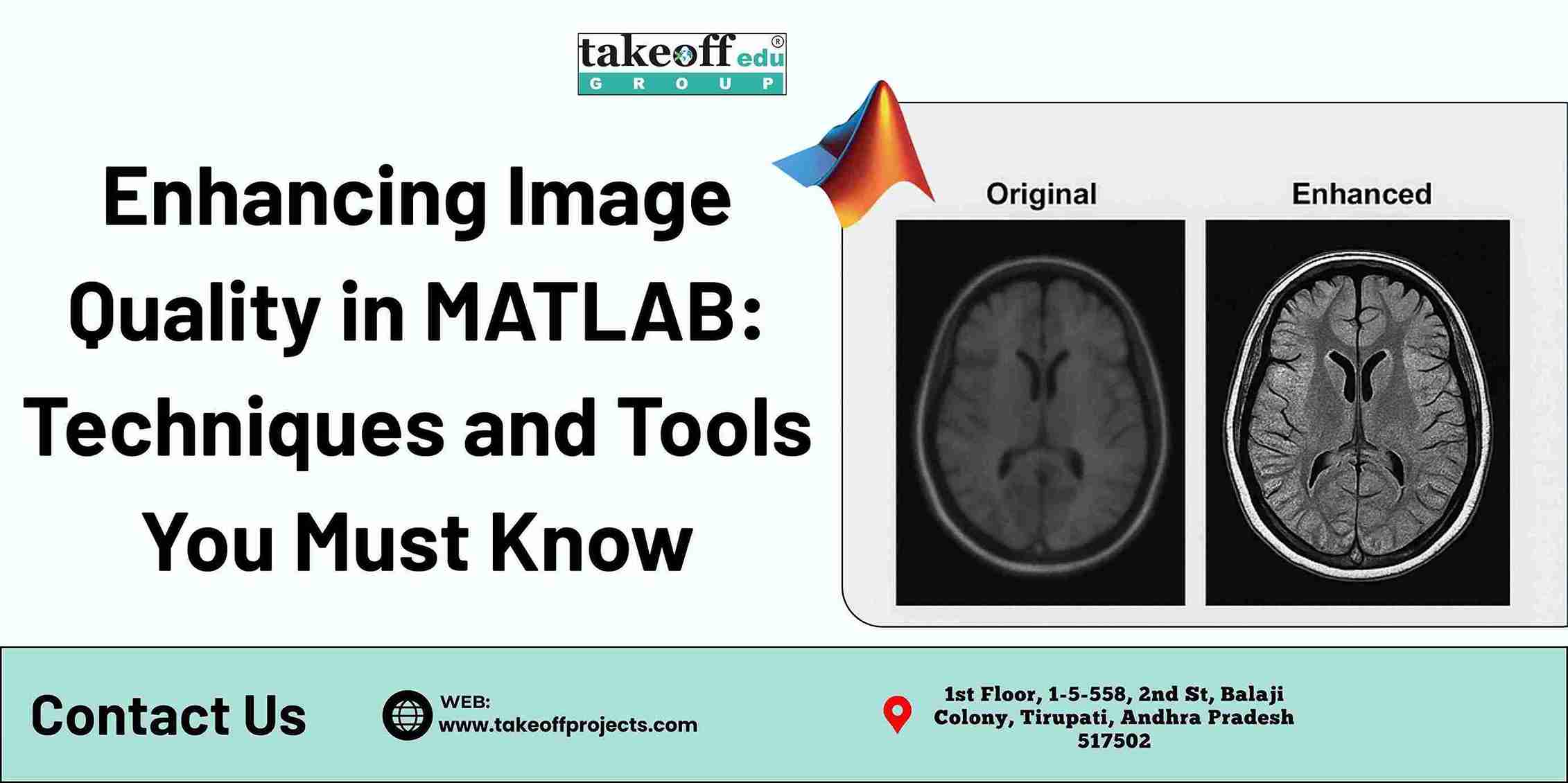 Enhancing Image Quality in MATLAB: Techniques and Tools You Must Know
  Medical Image Analysis in MATLAB: Applications in Diagnosis and Research
  Top 5 Projects on 5G Networks
  Top 5 Projects on Modulation Techniques
  Top 7 Projects on MIMO Transmissions
  Top 5 Device to Device Communications Projects
  Top 7 Image Detection Projects
  Top 7 Image Compression Projects
  Top 5 Fusion and Saliency Projects
  Top 7 Image Retrieval Projects
  Top 5 Image Denoising Projects
  Top 7 Projects on Security Applications
  Top 7 Image Enhancement Projects
  Top 10 Deep Learning Projects for B.Tech
  Top 5 Image Segmentation Projects
  Top 5 Artificial Neural Network Projects













 Paper Publishing