Performance Analysis of Millimeter-Wave Massive MU-MIMO with 128 Base-Station Antennas for Private Underground Mine Communications
Objective
To assess MU-MIMO mmWave channel performance in underground mines, focusing on path loss, delay spreads, coherence bandwidth, and capacity at 28 GHz.
Abstract
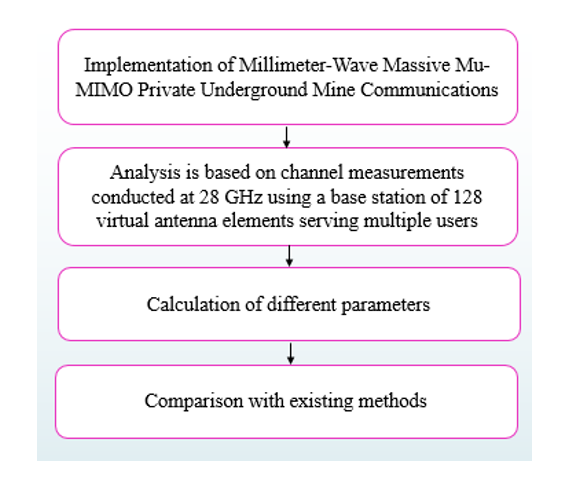
This paper examines the performance of a large multiuser multiple-input and multiple-output (MU-MIMO) millimetre wave (mmWave) channel in an underground mine. Based on channel measurements made at 28 GHz with a base station of 128 virtual antenna components supporting several customers, the study was carried out. Large-scale path loss, temporal dispersion, coherence bandwidth, and sum-rate capacity are among the channel parameters that are reported and assessed. According to the findings, the multislope path loss model performs better when it comes to accurately predicting path loss across different propagation segments inside the mining gallery. Ninety percent of the root-mean-square (rms) delay spreads are less than 4 ns, according to the time dispersion analysis, which indicates that the underground mine channel does not significantly increase time dispersion. Furthermore, it was discovered that the propagation distance has no bearing on the rms delay spread. The potential of using massive MIMO technology to increase the channel's spectral efficiency is highlighted by the sum-rate capacity study. According to the investigation, the capacity can reach up to 33.54 bit/s/Hz with eight active users. Rich-scattering and irregular topology are two characteristics of the deep mine environment. The results of this article provide important insights into these propagation aspects.
Keywords: 5G, 28 GHz, Channel Capacity, Channel Measurements, Massive Multiuser Multiple Input and Multiple Output (MU-MIMO), Millimeter-Wave (mmWave), Path Loss, Root-Mean-Square (RMS) Delay Spread, Underground Mine, 128 Base Station Antennas.
NOTE: Without the concern of our team, please don't submit to the college. This Abstract varies based on student requirements.
Block Diagram
Specifications
Software: Matlab 2020a or above
Hardware:
Operating Systems:
- Windows 10
- Windows 7 Service Pack 1
- Windows Server 2019
- Windows Server 2016
Processors:
Minimum: Any Intel or AMD x86-64 processor
Recommended: Any Intel or AMD x86-64 processor with four logical cores and AVX2 instruction set support
Disk:
Minimum: 2.9 GB of HDD space for MATLAB only, 5-8 GB for a typical installation
Recommended: An SSD is recommended A full installation of all MathWorks products may take up to 29 GB of disk space
RAM:
Minimum: 4 GB
Recommended: 8 GB
Learning Outcomes
· Introduction to Matlab
· What is EISPACK & LINPACK
· How to start with MATLAB
· About Matlab language
· Matlab coding skills
· About tools & libraries
· Application Program Interface in Matlab
· About Matlab desktop
· How to use Matlab editor to create M-Files
· Features of Matlab
· Basics on Matlab
· What is Communication?
· About Communication
· Introduction to Communication
· How Communication Works?
· Importing the System Design, Characterization and Visualization
· Analyzing of BER tool
· Analyzing of Error Rate Test Console
· Generation of WSN
· WSN network creation
· Nodes Communication
· Clustering
· Routing
· Convolutional
· Equalization and Synchronization etc.,
· How to extend our work to another real time applications
· Project development Skills
o Problem analyzing skills
o Problem solving skills
o Creativity and imaginary skills
o Programming skills
o Deployment
o Testing skills
o Debugging skills
o Project presentation skills
o Thesis writing skills
Demo Video


Request for Video
 Paper Publishing
Request Call Back
Would you like to receive a free callback now?
Choose the best time for callback:
Leave your message and we will contact you as soon as possible

6-2-85/B, Old Maternity Hospital Road, Thyagaraja Nagar, Tirupati, Andhra Pradesh – 517501
+91 9030333433
+91 9393939065
0877-2261612

Disclaimer - Takeoff Edu Group Projects are not associated or affiliated with IEEE in any way. The IEEE Projects mentioned here are mentioned in the context of student projects, whose ideas are derived from IEEE publications, not projects of or by IEEE.

